Download Critiq
Download Critiq
Critiq is Waiting For You Download Now :)
Critiq is Waiting For You Download Now :)
You have excellent taste. Your download is
starting automatically.
Download Critiq
Download Critiq
Download Critiq
Let's get this installed in 30 Seconds
Let's get this installed in 30 Seconds
Let's get this installed in 30 Seconds
1. Unzip the File
1. Unzip the File
1. Unzip the File
Open your downloads location and extract the folder.
Open your downloads location and extract the folder.
Important: Keep this folder safe. If you delete it, the extension breaks.
Important: Keep this folder safe. If you delete it, the extension breaks.
2. Open the Extension Manager
2. Open the Extension Manager
2. Open the Extension Manager
Copy and paste one of these links into your browser’s address bar.
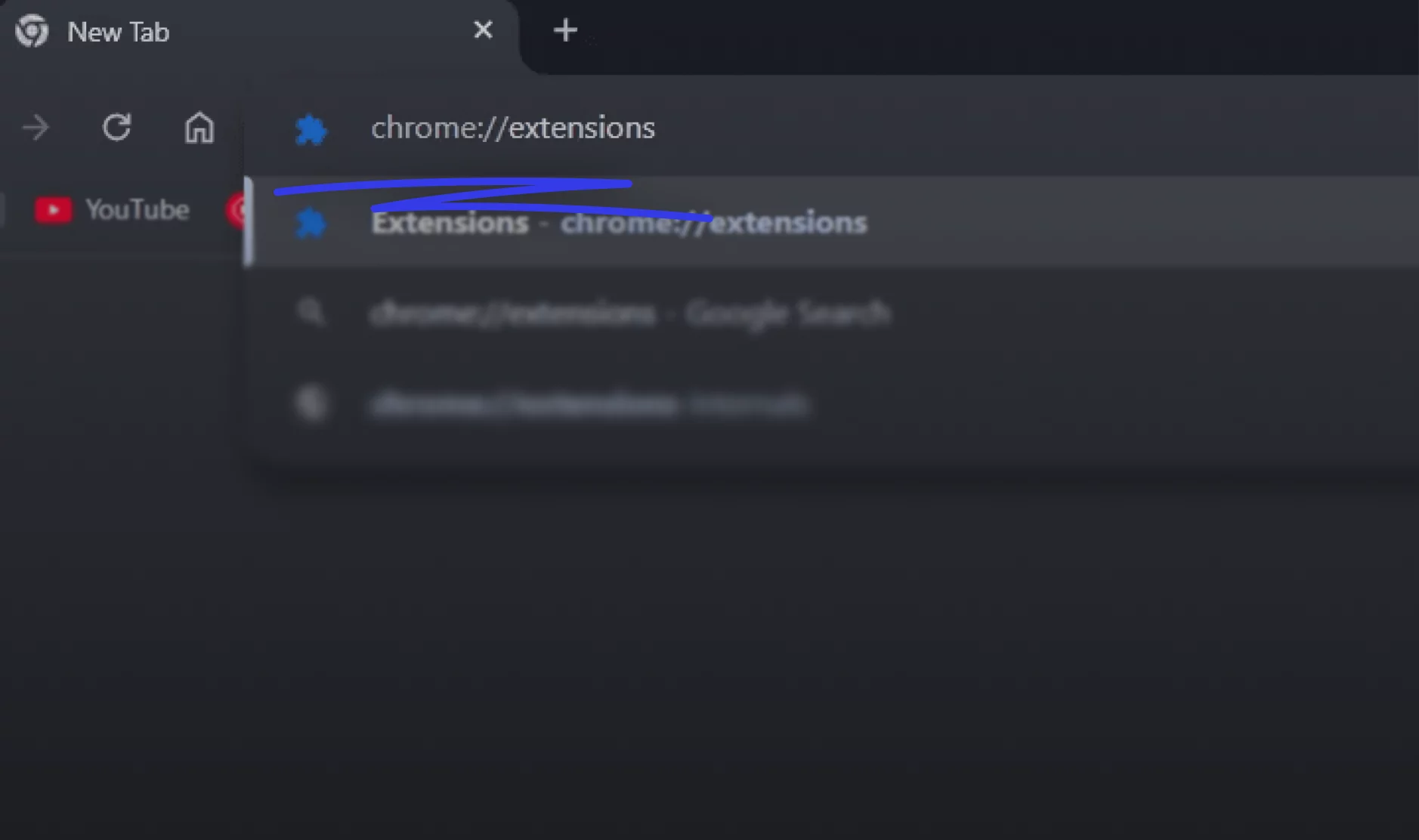
For Chrome
"chrome://extensions"
For Arc
"arc://extensions"
For Edge
"edge://extensions"
For Brave
"brave://extensions"
For Opera
"opera://extensions"
For Vivaldi
"vivaldi://extensions"
3. Enable Developer Mode
3. Enable Developer Mode
Look at the top-right corner of the Extensions page.
Look at the top-right corner of the Extensions page.
Find the toggle labeled "Developer Mode" and turn it ON
Find the toggle labeled "Developer Mode" and turn it ON

4. Load the Extension
4. Load the Extension
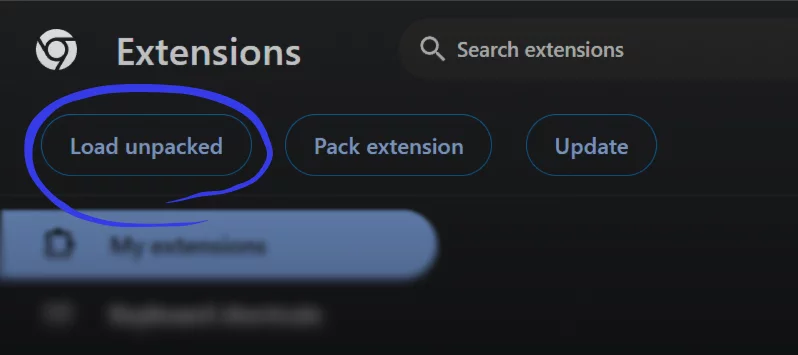
A new menu will appear at the top. Click the button that says "Load Unpacked".
A new menu will appear at the top. Click the button that says "Load Unpacked".
A file window will pop up. Navigate to the folder you extracted in Step 1.
A file window will pop up. Navigate to the folder you extracted in Step 1.
Select the folder and click "Select Folder" (or "Open").
Select the folder and click "Select Folder" (or "Open").
Warning: Do not delete this folder later, or the extension will stop working.
Warning: Do not delete this folder later, or the extension will stop working.
Now Pin it and Go
Now Pin it and Go
The Critiq logo should now appear in your list!
The Critiq logo should now appear in your list!
Something went wrong?
Something went wrong?
Something went wrong?
"Manifest file is missing" error?
"Manifest file is missing" error?
"Manifest file is missing" error?
You likely selected the wrong folder in Step 4. Try double-clicking the folder once to go inside it, then select the folder inside that one.
You likely selected the wrong folder in Step 4. Try double-clicking the folder once to go inside it, then select the folder inside that one.
You likely selected the wrong folder in Step 4. Try double-clicking the folder once to go inside it, then select the folder inside that one.
Browser warning?
Browser warning?
Browser warning?
Since you installed this manually, your browser might ask to "Disable Developer extensions." You can safely
ignore this or click "Keep changes.""
Since you installed this manually, your browser might ask to "Disable Developer extensions." You can safely
ignore this or click "Keep changes.""
Since you installed this manually, your browser might ask to "Disable Developer extensions." You can safely
ignore this or click "Keep changes.""